1. Your pay schedule
2. Your bills
| Bill | Amount ($) | Due day (1-31) |
|---|
Want this for every month, automatically?
The Paycheck Budget Planner spreadsheet (Excel + Google Sheets) does all of this and more: sinking funds split per paycheck, zero-based spending plan, a spending log matched to each check, and a dashboard with planned vs actual and 50/30/20.
Get the full planner (-30% code PAYCHECK30) Download the free Lite version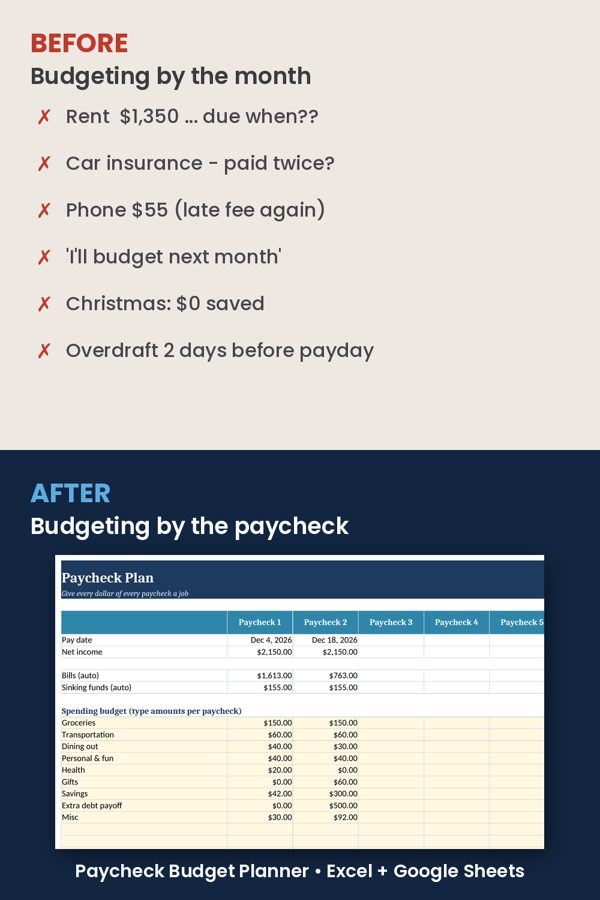
How to budget by paycheck
Budgeting by paycheck means planning each check separately instead of the whole month at once. It matters most when you're paid weekly or biweekly: some months have 3 biweekly paychecks (or 5 weekly ones), and rent may be due before your first check of the month.
- List your paydays for the month (this calculator does it from one recent payday).
- Assign each bill to the last paycheck that arrives on or before its due date. Bills due before your first payday are paid from the first check of the month (or early, from the previous month's last check).
- Subtract bills from each check to see what's really left for groceries, gas, savings and debt payoff.
- Give every remaining dollar a job (zero-based budgeting) so "left to budget" reaches $0.
FAQ
What is a biweekly budget? A budget built around getting paid every two weeks: 26 paychecks a year, so two months a year have three paychecks — a good moment to boost savings.
What if a bill is due before my first paycheck of the month? It's shown under paycheck 1 with a warning: pay it from the previous month's last check, or set money aside.
Is my data saved? No. The calculator runs entirely in your browser; nothing is sent anywhere.
See also: free reorder point calculator for small businesses.